Myanmar Military Raider
Note: this program will only work on Windows 7 and up
Go to this this folder for downloads.
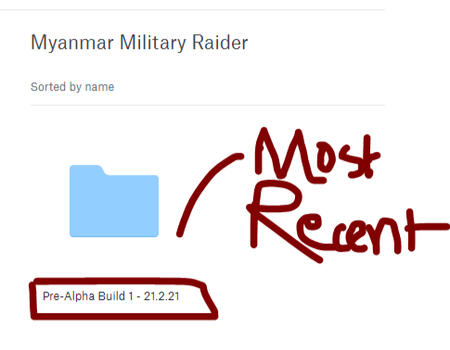
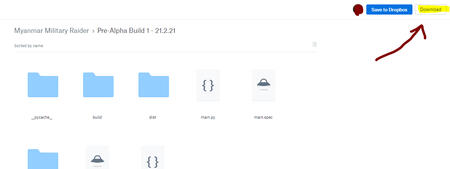
For the latest update, please select the folder with the most recent date or highest build number (the most recent build will also have a [RECENT] tag next to its name) and click Download on the top-right. Once you have downloaded it, unzip the file (i.e. with WinRar or 7Zip) and open the folder and click on the 'Myanmar Military Raider' shortcut file, where a GUI will open and you can start.
Replicating This Program
In order to replicate the program for yourself, please follow this tutorial by downloading the file and opening it using a browser (i.e. Google Chrome, Microsoft Edge, Mozilla etc):
Click here
How To Create Your Own Ping Program (if you do not want to download the HTML file provided above)
Open up a text editor (such as Notepad, Notepad++ et cetera)Write the following code::loop
Ping ADDRESS
goto :loop
Replace ADDRESS with your target address or IPSave the file as the type 'all files' and at the end of your file name, make sure to add .cmd or .bat in order to make it into a command prompt file or batch file.Run the file by double-clicking it and leave it for as long as you like. Once you want to stop the command loop, simply just close the prompt or press CTRL+C to exit out of the process, and then press Y to confirm.
Update Log
@ Pre-Alpha: Build 1
Public release and testing
@ Pre-Alpha Build 2
Minor updatesCreated a button that redirects users to this website
@ Pre-Alpha: Build 3
Increased minimum delay settingFixed bugs related to crashesBug fixes overall
@ Pre-Alpha: Build 4
Added 3 websitesCreated a much larger delay range (1.5-5.0)Bug fixes overall
@ Pre-Alpha: Build 4.5
Added +1 new websiteBug fixes overall
@ Pre-Alpha: Build 5
Major visual changesFile size reductionFaster download timeBug fixes